
Create your first project in Nodes and Links
Overview
Create a project in Nodes & Links to upload schedule files, invite collaborators, and begin analysing project data. You can create projects manually from the Projects Dashboard or import them directly from Oracle Primavera Cloud (OPC).
Open the Projects Dashboard
The Projects Dashboard is the home screen where you can view and access all projects available to you. Projects are displayed as visual cards.
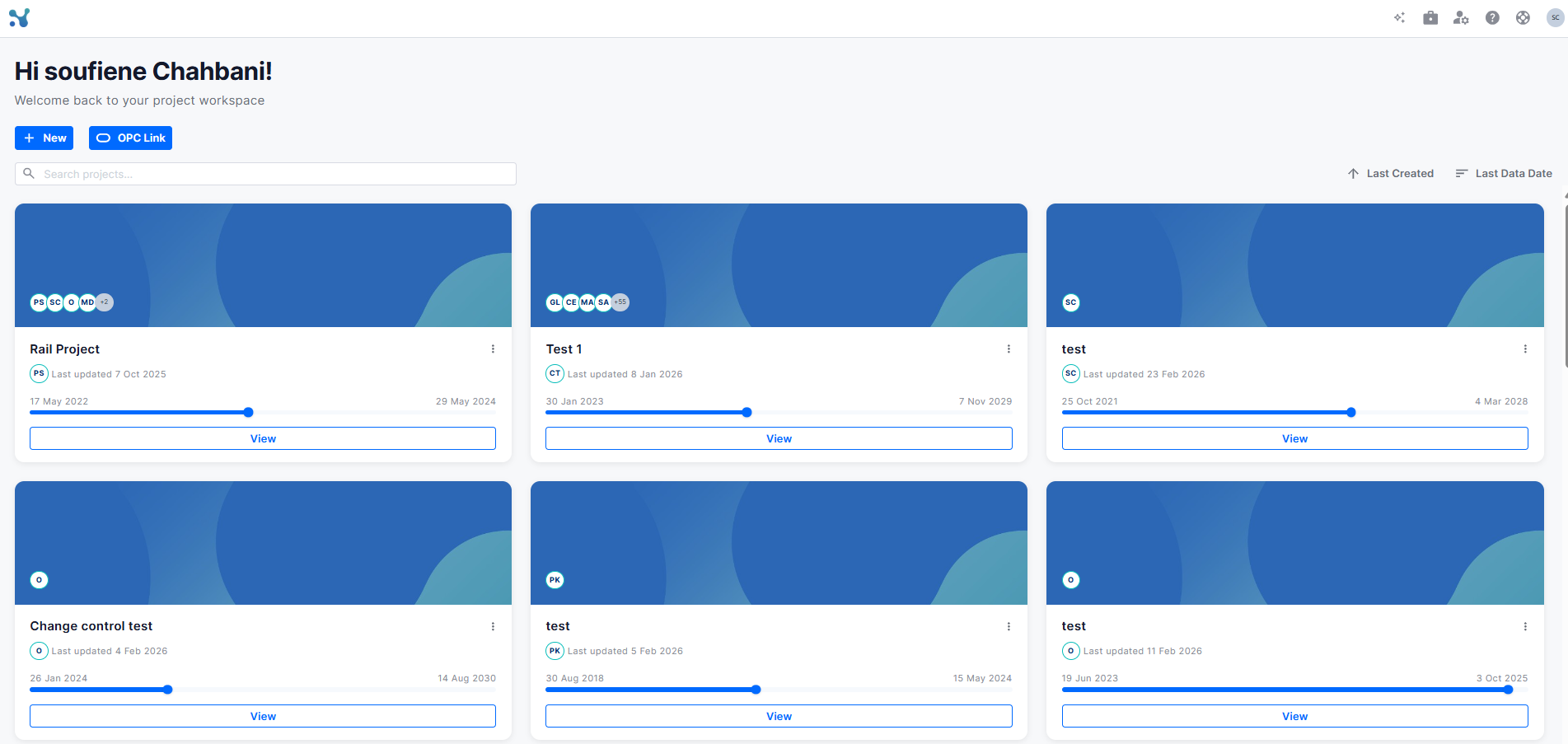
Each project card includes:
- Project name and description
- Team member avatars and initials
- A timeline bar showing the project date range
- The date and user responsible for the latest update
- A View button to open the project
At the top of the dashboard, you can use:
- + New - creates a new project
- Imports from OPC
- Search bar - search across your projects by name
- Sort options: Last Created / Last Data Date
Create a new project
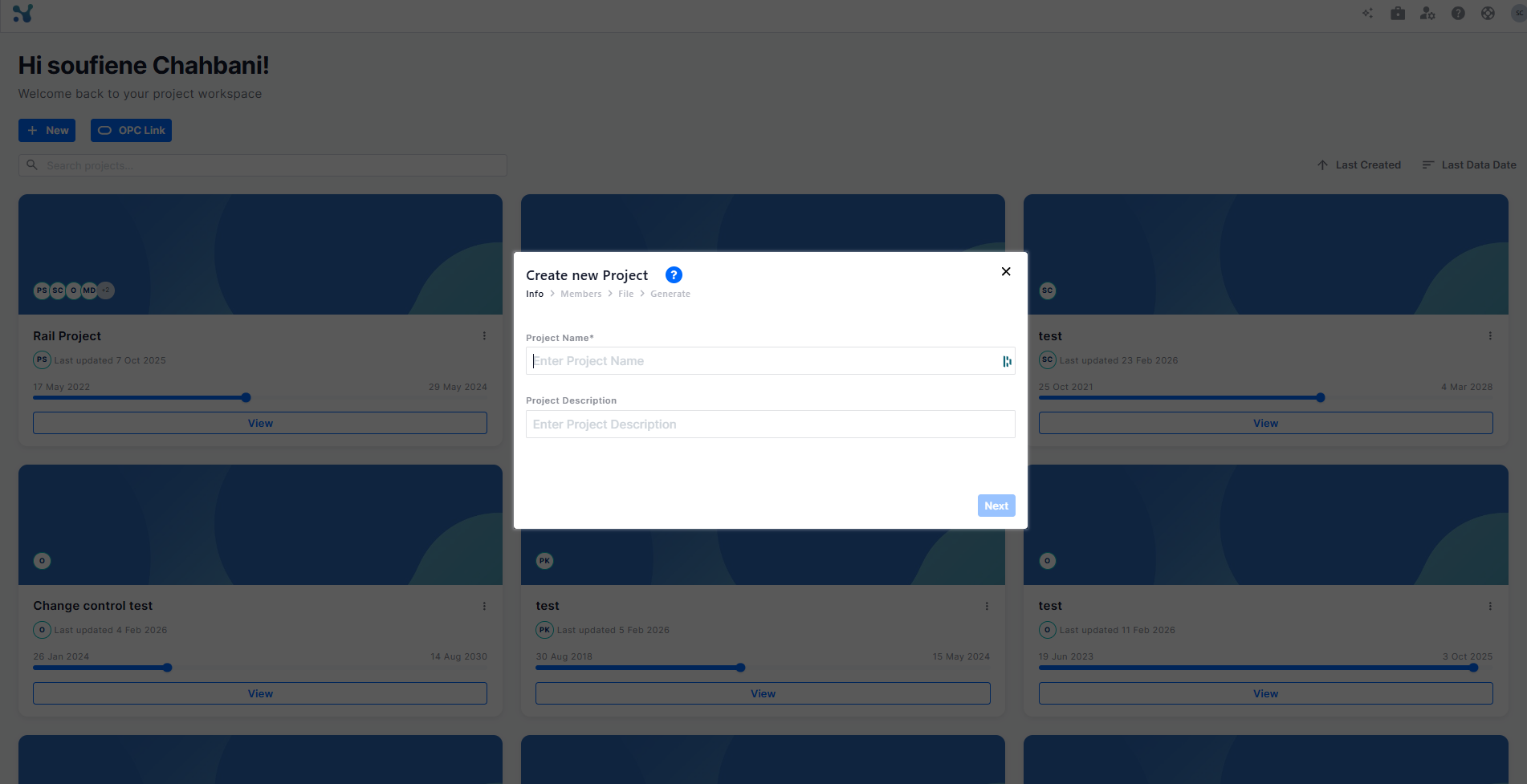
From the Projects Dashboard, click + New. Complete the project creation wizard.
Step 1: Info
Enter the project details:
- Project Name — required
- Project Description — optional
Click Next to continue.
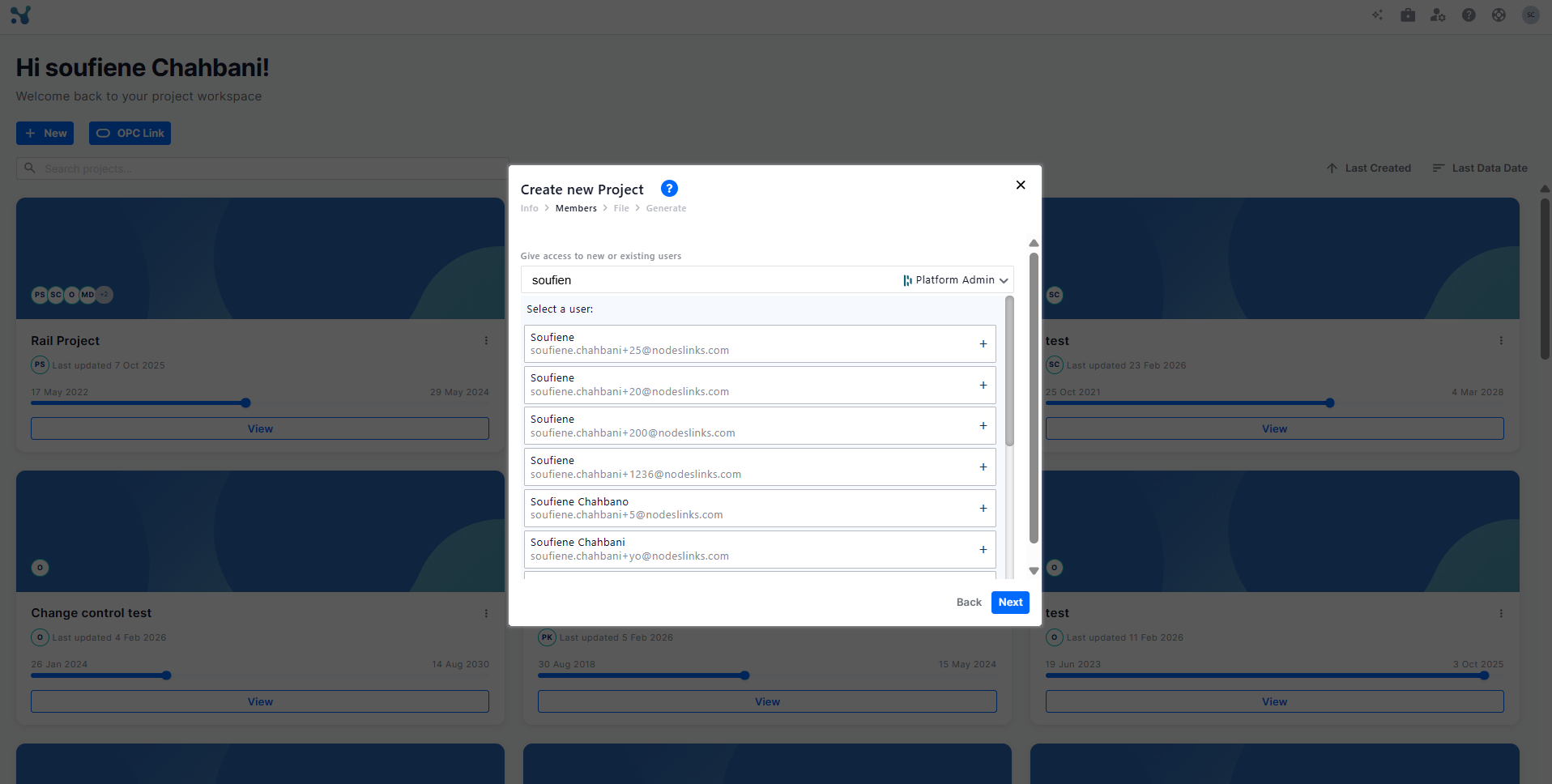
Step 2: Add users
Invite project team members using their email address or username.
Assign a platform role:
- Contributor
- Member
- Platform Admin
Users can only be invited to a role at or below your own role level. For example, a Contributor can invite Members and Contributors, while a Platform Admin can invite Members, Contributors, and other Platform Admins. For a full, detailed breakdown of user access and permissions, see user roles
Click Next after adding the required users.
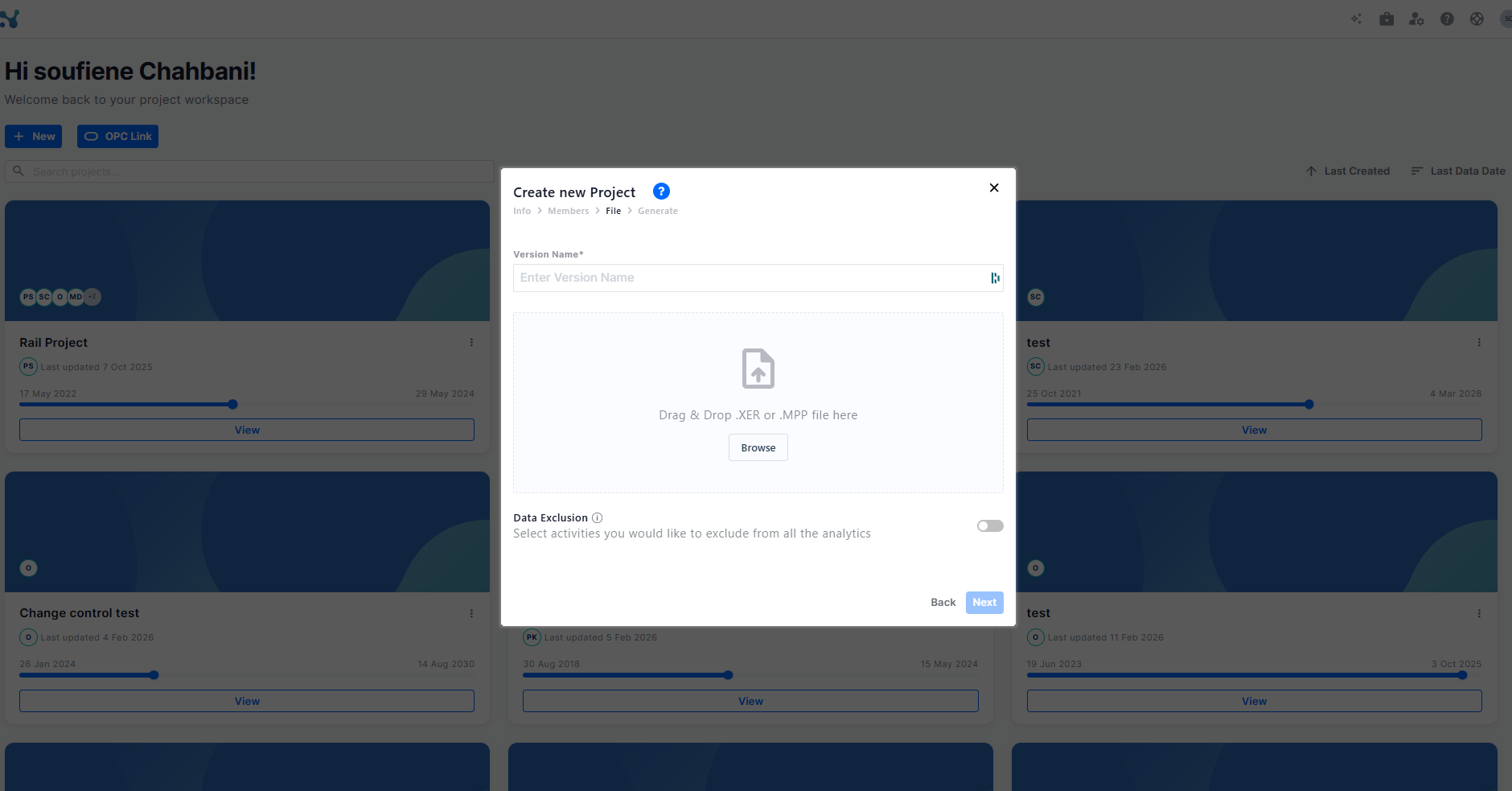
Step 3: File
Upload one or more schedule files. You can:
- Drag and drop files into the upload area.
- Click Browse to select files from your device.
Supported file formats:
- .XER
- .MPP
You can upload up to 10 schedule files at a time.
Click Next to continue.
Step 4: Generate
Nodes & Links processes the uploaded schedules and generates the project. Once processing is complete, the new project appears on the Projects Dashboard.
Import a project from OPC
Instead of uploading schedule files manually, you can import a project directly from Oracle Primavera Cloud (OPC). For details, see Importing a Project from Oracle Primavera Cloud.