Signals administration
⚙️ Signals administration
Somewhere between the contracts awarded last month and the RFI answered an hour ago lies the information your schedules are missing. Signals administration is where you, the admin, decide which platforms feed those documents into Nodes & Links, and which projects they belong to.
Set it up once, and every scheduler in your workspace gets the full picture: the external documents that can move their dates, sitting right next to the schedule they can move.
Who this is for
Workspace admins. This page in the Admin Tool is the only place where document integrations are set up, project members never connect anything themselves.
What’s on the page
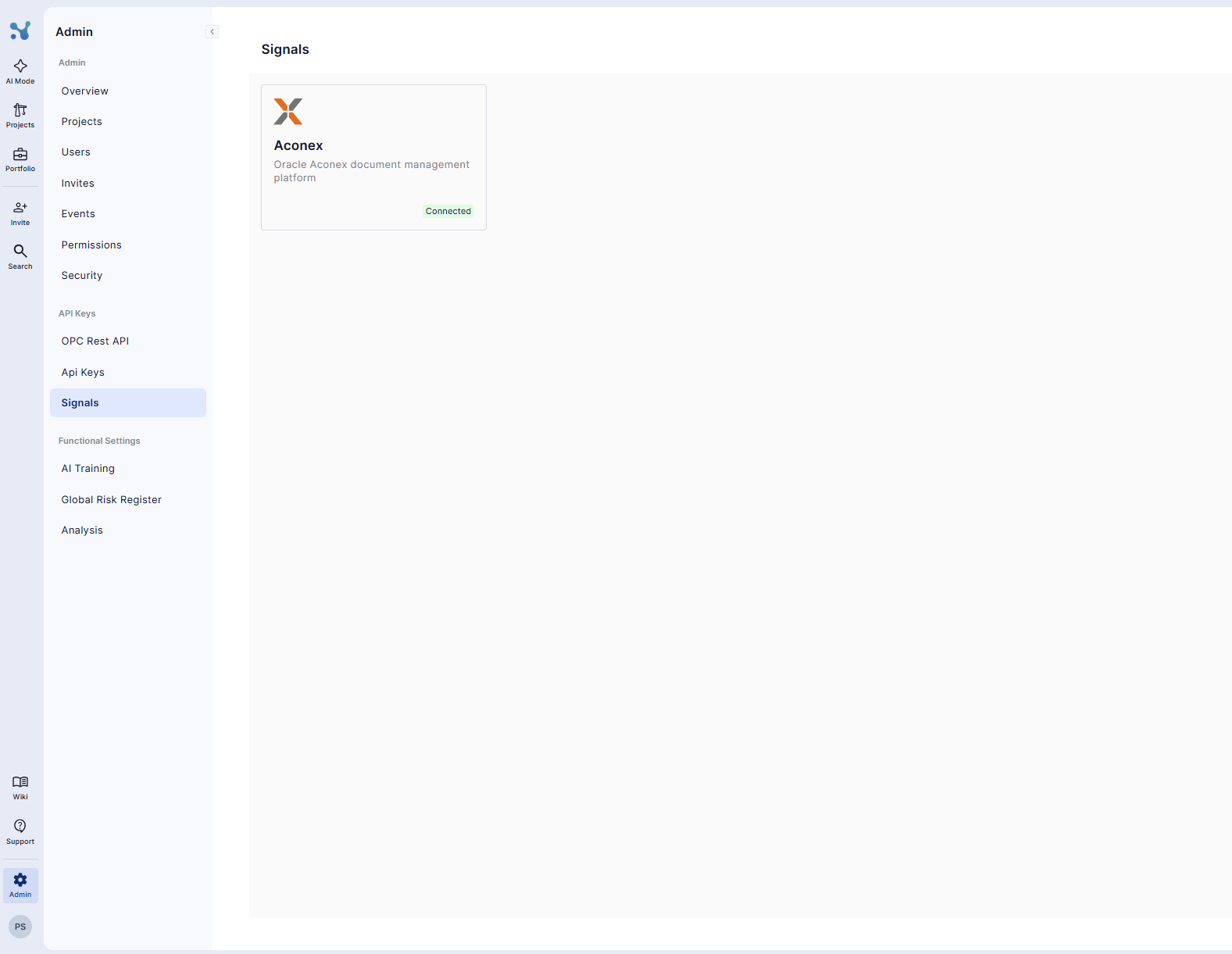
Open the Admin Tool (settings icon, top right) and select Signals. You’ll see a tile for each available platform (currently Aconex with more to follow), showing whether it’s connected.
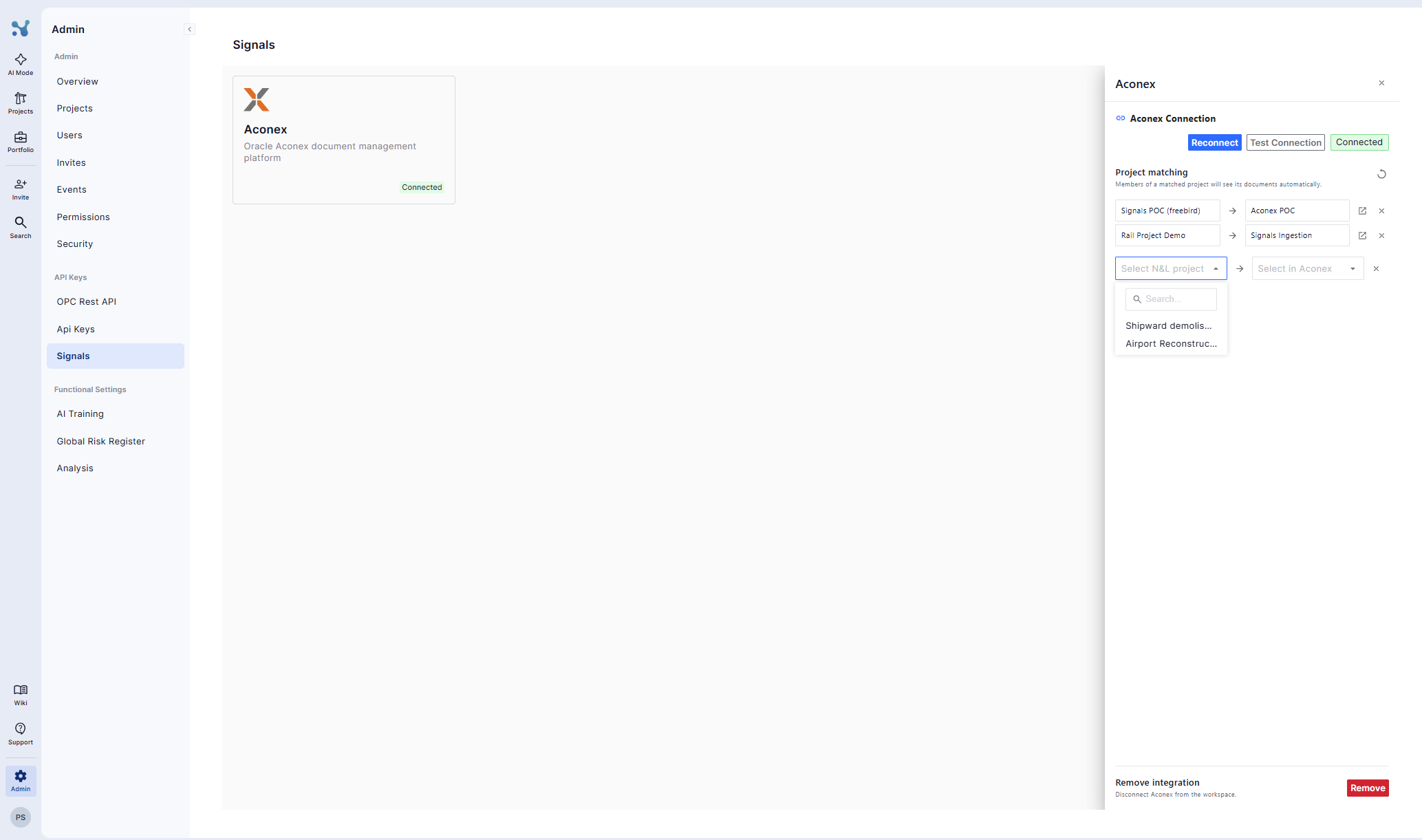
Click a tile to open its drawer, which has two halves: the connection (credentials) and the project mapping.
💡 Each provider connects independently. A project can pull documents currently from Aconex per project.
Connecting a provider
- Open a provider’s tile.
- Enter the connection details for that provider (see Setting up Aconex for the exact walkthrough).
- Click Connect. The connection is checked before it’s saved, you’ll know immediately if something’s off.
Two things worth knowing:
- It’s workspace-wide and one-time. Individual users never see credentials, never log in, never connect anything on their side.
- It’s read-only. Nodes & Links reads documents; it never writes anything back to Aconex.
Mapping projects
This is the step that routes documents to the right place.
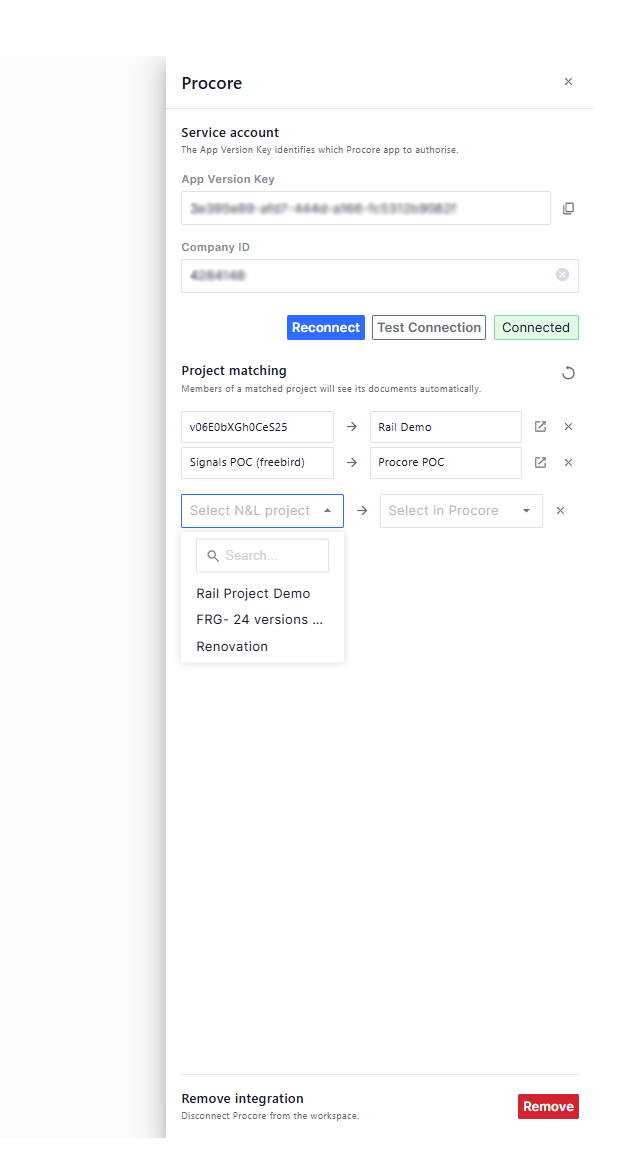
- In the provider’s drawer, find the project mapping section.
- For each Nodes & Links project, pick the external project it corresponds to, we suggest matches by name; confirm or change.
- Repeat for every project you want covered.
💡 Mapping triggers the first pull. The moment you map a project, its documents start appearing on that project’s Signals page, no waiting for the daily cycle.
Disconnecting
You can unhook a single project or remove a provider connection entirely, from the same drawer. Unhooking stops future documents from coming in; what’s already been brought in stays governed by your data settings.
Keeping documents current
You never need to press a refresh button. Nodes & Links checks your connected platforms automatically every day, bringing in anything created or updated in the last 24 hours.
You are ready to go!
Connect a provider, map your projects, and Signals does the rest, your teams get the external documents they’d otherwise miss, without anyone lifting a finger.
Don’t hesitate to get in touch if you have any further queries!